
Coming Soon:
 Instagram  - Scheduling, Publishing & Analytics in One Dashboard
Save  20%  on your annual plans.  Get started today.
Coming Soon:
 Instagram  - Scheduling, Publishing & Analytics in One Dashboard
Save  20%  on your annual plans.  Get started today.

WhatsApp Template Builder

May 15, 2026
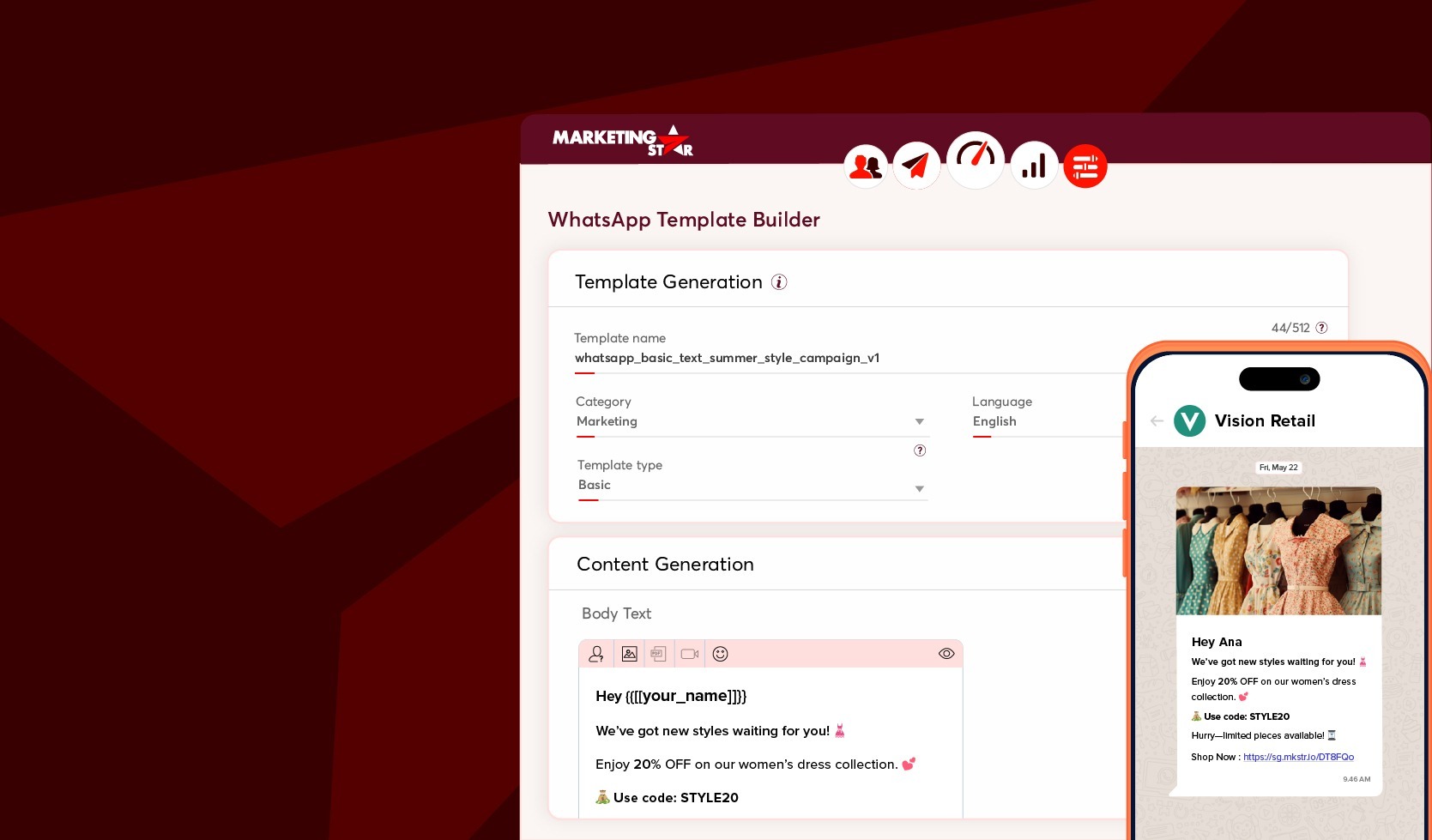
WhatsApp Template Builder interface in Marketing Star showing template generation settings

Streamline template creation, approvals, and campaign execution—all inside Marketing Star.

Turn WhatsApp Templates into Scalable Customer Engagement

Marketing Star’s new update brings end-to-end WhatsApp template lifecycle management directly into your campaign workflow for faster execution and better collaboration. Easily build and manage approved WhatsAppw templates entirely in one place, eliminating the need for external portals, additional logins, or manual coordination delays.

The feature supports both single-dimensional and multi-dimensional communications, enabling teams to efficiently scale consistent and personalised customer engagement across marketing campaigns.

Boost Customer Engagement with Media-Rich WhatsApp Experiences

Go beyond basic text messaging with rich WhatsApp templates designed to boost visibility and customer engagement—backed by intuitive tools that simplify every step of the process.

  • Basic Card Templates: Combine a header, body, footer, and interactive action buttons such as quick replies, website links, or phone numbers within a single message.
  • Carousel Card Templates: Showcase multiple products, offers, or step-by-step experiences in a scrollable multi-card format, all within one message.
  • Media Attachments: Add images, videos, or PDFs directly to your templates. Attached media is automatically carried forward when the template is used in a communication.
  • Multi-Language Support: Create templates in multiple languages, enabling regional teams to launch localized campaigns efficiently without depending on a centralized workflow.
  • Flexible Editing: Images uploaded during template creation can be updated later during campaign setup, giving users greater flexibility without rebuilding the template.
  • Advanced Search & Filtering: Easily edit, duplicate, delete, and efficiently search templates from the listing page.
  • Improved Status Visibility: Receive real-time status updates on templates that have missed the mark. Statuses are clearly displayed on the Template Listing page, helping users quickly identify issues and take corrective action.

How It Works

Get started in just a few steps:

1. Open the WhatsApp Template Builder

Go to the Preferences module in Marketing Star and select WhatsApp Template Builder from the Template Builder menu.

2. Create your Template

Choose a template type — Basic Card or Carousel Card — then complete the required fields, upload any media assets, and select the appropriate language. Real-time validation helps identify issues before submission.

3. Submit for Approval

Submit your template directly through the platform and monitor its status from the template listing page. Statuses include Pending, In Review, Approved, Failed, and Rejected.

4. Use it in your Campaigns

Once approved, the template becomes immediately available for use. Select it from the dropdown while creating communications and launch campaign.

Boost Your Marketing Success

Get actionable tips, expert advice, and the latest marketing trends tailored for growing businesses—delivered straight to your inbox.

We respect your privacy and deliver only valuable content—no spam, just proven strategies for your business.
Share